
Download Easy Karaoke Player – Karaoke Recording, Multimedia Playback, Party Entertainment
Overview
Easy Karaoke Player is a multimedia tool designed to enhance social gatherings with interactive singing experiences. The app enables users to play karaoke songs and record their performances in high-quality WAV format, making it ideal for parties, family events, or casual entertainment. Its core purpose lies in combining music playback with recording functionality, allowing users to preserve their vocal performances for later review. This dual functionality addresses the need for both immediate enjoyment and long-term memory creation during social events.
Target users include party hosts, music enthusiasts, families seeking fun activities, and individuals who enjoy sharing vocal performances with friends. The app is particularly suited for environments where spontaneous entertainment is valued, such as birthday celebrations, game nights, or weekend get-togethers. While the developer did not provide additional background information, the app’s longevity—first released in 2008—suggests a stable, well-tested foundation within the multimedia utility space.
Real-world use cases include recording a child’s first solo, preserving a group’s performance at a reunion, or simply enjoying a night of singing with friends. In the broader app ecosystem, Easy Karaoke Player fills a niche for lightweight, dedicated karaoke tools that prioritize usability and audio fidelity over complex features. Its continued presence in the market indicates a consistent demand for straightforward, effective entertainment software.
Key Features & Functionality
Easy Karaoke Player offers a focused set of features tailored to the karaoke experience. The app supports multiple audio and video formats, including MP3, MIDI, WAV, VCD, MPEG, and AVI, enabling seamless playback of diverse media files without the need for conversion. This broad compatibility ensures users can access their existing music libraries without restrictions.
- Multimedia Format Support: Plays a wide range of audio and video files, reducing the need for third-party converters.
- Karaoke Recording Capabilities: Records user performances directly into high-quality WAV files for playback and review.
- User-Friendly Interface: Designed for intuitive navigation, allowing users of all ages to operate the app with minimal learning curve.
- Flexible Storage Options: Users can choose to save or delete recordings, maintaining control over their media files.
- Party-Ready Entertainment: Built for social settings, promoting group participation and shared enjoyment.
For example, a user might play a favorite song from an AVI file, sing along with the backing track, and save the performance as a WAV file to share with family members. The ability to record and revisit performances adds a layer of personalization and creativity, transforming passive listening into an active experience. These features collectively support both casual enjoyment and meaningful memory preservation.
Interface, UX & Performance
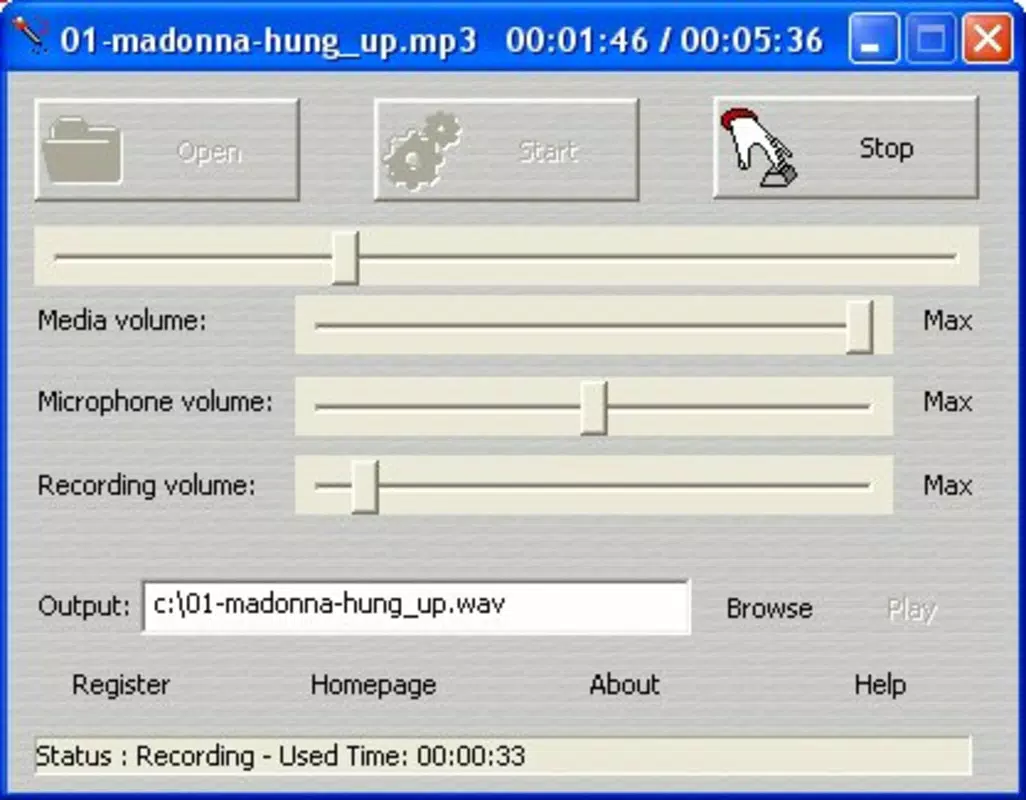
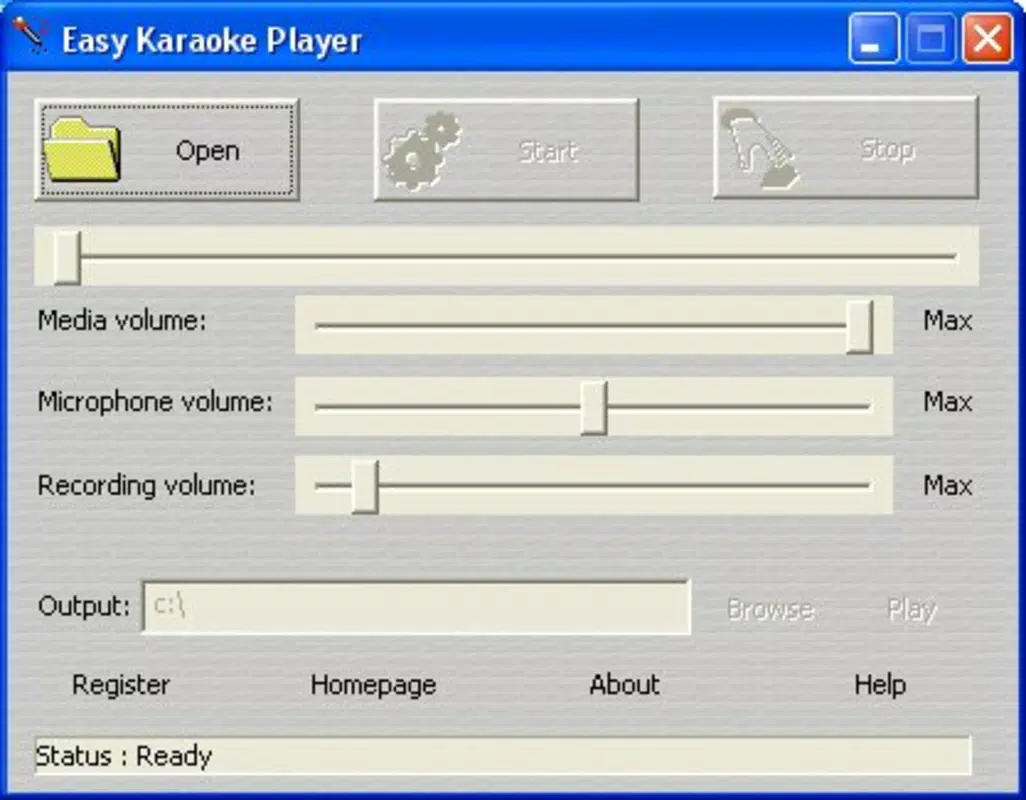
The interface of Easy Karaoke Player is designed with simplicity and accessibility in mind. Navigation appears to be straightforward, allowing users to locate and play media files with minimal effort. The layout likely emphasizes core functions—play, pause, record, and file management—ensuring that users can focus on singing rather than technical operations.
Visual style is not specified, but the app’s long-standing presence suggests a stable, functional design that prioritizes usability over flashy aesthetics. The user experience is optimized for real-time interaction, particularly during live events where responsiveness is crucial. Although the developer did not list formal performance metrics, the app’s ability to handle multiple formats indicates efficient resource management.
Performance across different device categories is not detailed. However, given its compatibility with older formats like VCD and MPEG, it may function well on devices with moderate processing power. Responsiveness during playback and recording is likely consistent, as delays could disrupt the flow of a party. Stability appears to be a strength, supported by the app’s release history dating back to 2008. No reported issues with crashes or data loss were mentioned in the provided information.
Platform Compatibility & Technical Requirements
Easy Karaoke Player is available on Android and iOS platforms. The app’s software version and file size were not specified in the provided data. The developer did not list minimum OS requirements or hardware specifications, making it difficult to assess compatibility with current devices.
Although the developer did not specify minimum OS requirements, the app’s release date of March 13, 2008, suggests it may have been originally designed for earlier mobile operating systems. Users should verify compatibility with their current device’s OS version before installation. The file size remains undisclosed, which may vary depending on the included media libraries or bundled codecs.
Given the lack of detailed technical information, users are advised to check official sources or app store listings for updated compatibility details. The absence of specific requirements does not imply incompatibility but highlights the need for caution when installing on newer devices.
Pros and Cons
Pros
- Supports a wide range of audio and video formats for versatile media playback.
- Offers high-quality WAV recording for preserving karaoke performances.
- Intuitive interface designed for users of all ages and technical skill levels.
- Perfect for enhancing social events with interactive entertainment.
- Provides full user control over recorded files, including storage and deletion.
Cons
- Developer did not provide specific technical details such as OS version or file size.
- Compatibility with modern devices may require verification due to the app’s age.
- No information on update frequency or future development plans.
- Limited visual customization options may not appeal to advanced users.
- Recording quality and file size are not specified, which could affect storage planning.
FAQ
Is Easy Karaoke Player safe to download and install?
Yes, the app is considered safe when obtained from trusted sources. As a long-standing multimedia tool, it does not appear to carry known security risks. Always download from official app stores or verified developers to ensure integrity.
Can I record my karaoke performance and listen to it later?
Yes, Easy Karaoke Player allows users to record their singing sessions and save them as high-quality WAV files. These recordings can be played back at any time for review or sharing.
Does the app support MP3 and WAV files?
Yes, the app supports MP3 and WAV audio formats, along with other common media types such as MIDI, VCD, MPEG, and AVI.
Is Easy Karaoke Player free to use?
While the provided data does not specify pricing, many apps of this type are available for free with optional in-app purchases. Users should check the app store listing for current pricing details.
How do I install Easy Karaoke Player on my smartphone?
To install, search for “Easy Karaoke Player” in your device’s app store (Android or iOS), select the official version, and follow the on-screen instructions. Ensure your device meets the minimum requirements, which may vary by platform.
Final Thoughts
Easy Karaoke Player remains a dependable choice for anyone seeking a simple, effective way to bring music and fun to social events. Its ability to play diverse media formats while recording high-quality performances makes it a unique utility in the mobile entertainment space. While it lacks modern polish and detailed technical disclosures, its core functionality is solid and purpose-built.
Users who value straightforward tools over feature-heavy applications will find this app particularly valuable. It’s ideal for families, party organizers, and music lovers who want to create lasting memories through shared singing. The combination of playback, recording, and ease of use delivers real-world value in both casual and celebratory settings.
Despite its age, the app continues to serve a niche audience with consistent performance and reliability. For those looking to add spontaneous fun to gatherings, Easy Karaoke Player offers a practical and enjoyable solution.
Download Easy Karaoke Player now


